

What time was it 11 hours ago? It sounds like a small question. Yet people ask it every day while checking a message, a flight, a dose of medicine, or a server log.
The answer changes every minute, so no single time works for everyone. But the method never changes. Subtract eleven hours from the current time, then check the date.
This guide makes that process easy. You will learn the manual steps, the date rules, and the time zone traps. You will also find handy tables and tips for any time calculation.
What Time Was It 11 Hours Ago?
The quick answer is simple. To find the time 11 hours ago, subtract 11 from the current hour. Then fix the AM or PM label and the date.
Here is an example. If it is 3:00 PM now, then it was 4:00 AM earlier today. That is your answer for 11 hours ago.
Want a faster trick? Subtract 12 hours, then add 1 hour back. Twelve hours simply flips AM and PM. The extra hour fixes the difference.
The table below shows common clock times and what the clock read eleven hours earlier.
| Current Time | Time Eleven Hours Earlier | Date |
| 12:00 AM (midnight) | 1:00 PM | Previous day |
| 3:00 AM | 4:00 PM | Previous day |
| 6:00 AM | 7:00 PM | Previous day |
| 9:00 AM | 10:00 PM | Previous day |
| 11:00 AM | 12:00 AM (midnight) | Same day |
| 12:00 PM (noon) | 1:00 AM | Same day |
| 3:00 PM | 4:00 AM | Same day |
| 6:00 PM | 7:00 AM | Same day |
| 9:00 PM | 10:00 AM | Same day |
| 11:00 PM | 12:00 PM (noon) | Same day |
Notice the pattern. Any time before 11:00 AM goes back to the previous day. Any time from 11:00 AM onward stays on the same day.
Remember that rule. It removes most of the guesswork.
Understanding Time Calculation in Everyday Life
We do time math all day long. We count back to see when we woke up. We count forward to plan a meeting. Elapsed time is part of normal life.
The phrase 11 hours ago sounds casual. Yet it points to one exact moment on the clock. That moment sits behind the present by a fixed interval.
Most clocks use a 12-hour or a 24-hour format. The 12-hour clock adds AM and PM. Those labels cause most calculation errors. The 24-hour clock removes that confusion.
Time math matters in many jobs. Nurses check when a dose was given. Drivers track rest periods. Remote teams compare working hours. A clear method keeps everyone accurate.
Every time calculation has three parts:
- A starting point (the current time)
- An interval (eleven hours)
- A direction (backward or forward)
Once you spot these three parts, the problem becomes easy.
How to Calculate What Time Was 11 Hours Ago Manually
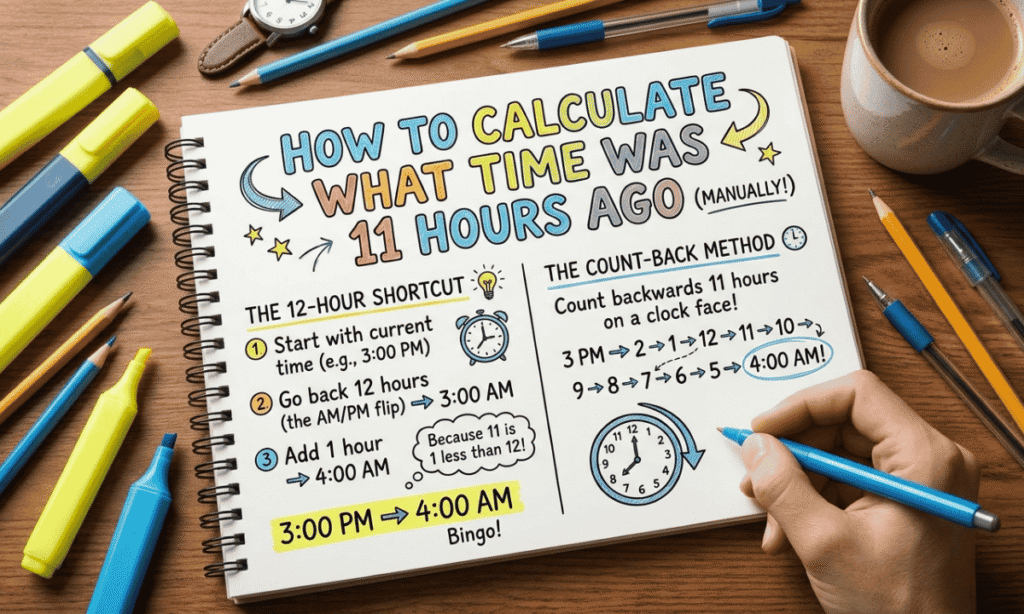
You do not need an app for this. Three simple steps are enough. Each one takes only a few seconds.
Step 1: Note the Current Time
Write down the exact time right now. Include the minutes and the AM or PM label. The minutes stay the same during this calculation. Only the hour moves.
If you use a 24-hour clock, keep it as it is. For example, 17:45 stays 17:45.
Check your device’s time zone first. A wrong zone gives a wrong answer, even when your math is perfect.
Step 2: Subtract Eleven Hours
Now count backward. You can subtract directly or use a shortcut.
Method A: Direct subtraction (24-hour clock)
- Current time: 17:45
- Subtract 11 hours: 06:45
- Result: 6:45 AM
If the result goes below zero, add 24. For example, 08:20 minus 11 gives −3. Add 24 and you get 21:20. That is 9:20 PM on the previous day.
Method B: The 12-hour shortcut
- Subtract 12 hours.
- Add 1 hour.
Say it is 9:30 PM. Subtract 12 and you get 9:30 AM. Add 1 and you get 10:30 AM. So 11 hours ago, it was 10:30 AM.
Method C: The mental flip
Move one hour forward. Then flip AM to PM, or PM to AM. Try it with 9:30 PM. One hour forward is 10:30 PM. Flip it and you get 10:30 AM. Same answer.
Step 3: Check the Date
Finally, decide if the date changed. If you crossed midnight, the answer falls on the previous day. If you did not, the date stays the same.
Example: it is Monday, 8:20 AM. Eleven hours earlier was Sunday, 9:20 PM.
Watch month ends too. If today is the 1st, the previous day is the last day of the last month.
Why the Date Sometimes Changes
A day has 24 hours. Eleven hours is less than a full day. But it can still reach back past midnight.
Think of midnight as a line on the timeline. If the current time is less than 11 hours past midnight, then 11 hours ago lands before that line. The date moves back one day.
Here is the simple rule:
- Before 11:00 AM: the date moves back one day.
- Exactly 11:00 AM: the answer is 12:00 AM on the same date.
- After 11:00 AM: the date stays the same.
Month and year changes
Boundaries need extra care. Say it is January 1, 2027, at 6:00 AM. Eleven hours earlier was December 31, 2026, at 7:00 PM. Both the month and the year changed.
Leap years
In a leap year, February has 29 days. So an early morning on March 1 can reach back to February 29. Check the calendar when you work near that date.
Daylight saving time
Many regions shift their clocks by one hour twice a year. If a shift happens inside your eleven-hour window, simple subtraction can be off by one hour. A time calculator or a time zone converter handles this better.
What Time Was It 11 Hours Ago Across Different Time Zones
Time zones are the biggest trap. The word “now” changes by location. So 11 hours ago changes too.
The moment itself is the same everywhere. Only the clock label differs. Let us use a sample moment of 9:00 AM in London (UTC+0).
| City | UTC Offset | Local Time Now | Local Time Eleven Hours Earlier |
| London | UTC+0 | 9:00 AM | 10:00 PM (previous day) |
| New York | UTC−5 | 4:00 AM | 5:00 PM (previous day) |
| Karachi | UTC+5 | 2:00 PM | 3:00 AM (same day) |
| Tokyo | UTC+9 | 6:00 PM | 7:00 AM (same day) |
Look at Tokyo. Its current time is already evening, so its answer stays on the same date. London’s answer slipped back to the previous night.
Follow these steps for any city:
- Find the local time in that city right now.
- Subtract 11 hours.
- Check the date in that city.
Another method works well for global teams. Convert the current time to UTC first. Subtract 11 hours. Then convert the result to each local zone.
Here is a neat fact. If a city is 11 hours ahead of you, its clock shows your time 11 hours from now. If it is 11 hours behind, its clock matches what your clock showed 11 hours ago.
Always name the zone. Write “5:00 PM EST” or “10:00 PM UTC.” A bare time invites confusion.
Using a Time Calculator
A time calculator is the fastest option. It reads your device clock and does the subtraction for you. Many tools also show the date and an analog clock.
Follow these steps:
- Open an “hours ago” calculator or a time duration tool.
- Enter 11 in the hours field.
- Choose “ago” or “before now.”
- Read the time and the date.
Spreadsheets work well too. In Excel or Google Sheets, type =NOW()-11/24 and format the cell as date and time. The formula works because one day equals 24 hours.
Developers can use code. In Python, use datetime.now() – timedelta(hours=11). In JavaScript, use new Date(Date.now() – 11*60*60*1000).
| Method | Best For | Accuracy |
| Mental math | Quick checks | Good, if careful |
| Online calculator | Any user | High |
| Spreadsheet formula | Logs and reports | High |
| Code | Apps and automation | Very high |
Pick the tool that fits your task. For daily use, a quick phone search is enough.
Converting Eleven Hours Into Different Units
Sometimes you need eleven hours in another unit. Here are the exact values.
| Unit | Equivalent of 11 Hours |
| Minutes | 660 |
| Seconds | 39,600 |
| Milliseconds | 39,600,000 |
| Days | About 0.458 (45.8% of a day) |
| Weeks | About 0.065 |
| Half-days (12 hours) | About 0.917 |
Quick check: 11 × 60 = 660 minutes. Then 660 × 60 = 39,600 seconds.
Programmers often work in seconds. A Unix timestamp counts seconds. So you subtract 39,600 from the current timestamp to get 11 hours ago.
Read More What Time Was It 6 Hours Ago
Why Computers Handle Time Better Than Humans
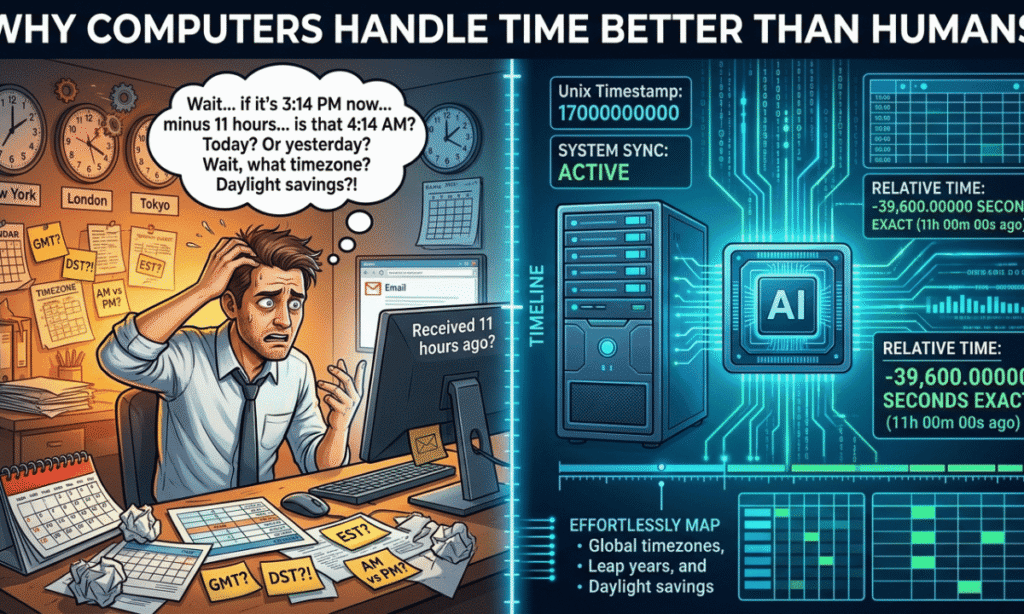
Computers do not think in AM and PM. They store time as one number. Often that number counts seconds from a fixed starting point called the Unix epoch (January 1, 1970, UTC).
Subtraction then becomes trivial. The system removes 39,600 seconds. It then converts the result to your local time zone. No flipping. No guessing.
Computers also use a shared database of time zone rules. It tracks daylight saving changes around the world. Network time protocol keeps clocks in sync.
Humans struggle for simple reasons. We get tired. We mix formats. We forget the date change.
Still, machines are not perfect. A wrong time zone setting or a drifting clock gives a wrong result. So always ask if the output makes sense.
What Time Was It 11 Hours Ago Versus Hours From Now
These two questions are mirror images. One looks into the past. The other looks into the future. The math flips, but the logic stays.
Looking Back
Looking back means subtracting. Take the current time and move eleven hours earlier. The shortcut is subtract 12, then add 1. You may cross midnight and land on the previous day.
Looking Forward
Looking forward means adding. Take the current time and move eleven hours later. The shortcut is add 12, then subtract 1. You may land on the next day.
| Direction | Operation | Shortcut | Result from 3:00 PM |
| Looking back | Subtract 11 hours | −12, then +1 | 4:00 AM (same day) |
| Looking forward | Add 11 hours | +12, then −1 | 2:00 AM (next day) |
Use the reverse as a check. If 11 hours ago was 4:00 AM, then adding 11 hours to 4:00 AM must give 3:00 PM. If it does, your answer is right.
Common Mistakes When Calculating Eleven Hours Ago
Even simple math can go wrong. Watch out for these errors:
- Forgetting the AM/PM flip. Subtracting 11 from 3:00 PM gives 4:00 AM, not 4:00 PM. The label must change.
- Ignoring the date change. An answer of 9:00 PM could mean yesterday. Always state the day.
- Using the wrong time zone. Your phone, laptop, and a server may each use a different zone.
- Subtracting 12 and stopping. The shortcut needs the extra hour added back.
- Mixing 12-hour and 24-hour formats. Treating 00:30 as 12:30 PM shifts the answer by twelve hours.
- Skipping daylight saving. A clock change inside the window can move the result by one hour.
- Changing the minutes. Only the hour changes. The minutes stay put.
- Confusing “ago” with “from now.” Past means subtract. Future means add.
A short double check catches almost all of these.
Everyday Situations Where This Calculation Matters
You may use this skill more than you realize. Here are common cases:
- Medication timing: Caregivers log when a dose was taken. Always follow the schedule from a doctor or pharmacist.
- Work shifts and rest: Drivers and pilots track rest hours to stay within safety rules.
- Travel and jet lag: Travelers compare their body clock with local time.
- Customer support: Teams check when a ticket arrived to meet response targets.
- Server logs and debugging: Engineers trace an error back to the exact moment it started.
- Parenting: Parents track feeds, naps, and sleep patterns.
- Social media: A post labeled “11 hours ago” shows only a rough age. Calculating backward gives the exact time.
- Remote teams: Colleagues in different zones need a shared reference point.
- Fasting windows: People who fast count the hours since their last meal.
- Investigations: Timelines help confirm when events happened.
Similar Time Calculators You Might Need
The same method works for other intervals. Just change the number. Here is a handy comparison using 3:00 PM as the starting point.
| Calculator | Shortcut | Result from 3:00 PM |
| 1 hour ago | Subtract 1 | 2:00 PM |
| 6 hours ago | Subtract 6 | 9:00 AM |
| 8 hours ago | Subtract 8 | 7:00 AM |
| 10 hours ago | Subtract 10 | 5:00 AM |
| 12 hours ago | Flip AM/PM | 3:00 AM |
| 13 hours ago | Subtract 12, then 1 more | 2:00 AM |
| 24 hours ago | Same time, one day earlier | 3:00 PM yesterday |
You may also need other tools:
- Hours from now calculator
- Minutes ago calculator
- Date difference calculator
- Time zone converter
- Time duration calculator
- Countdown timer
Time Calculation Tips for Better Accuracy
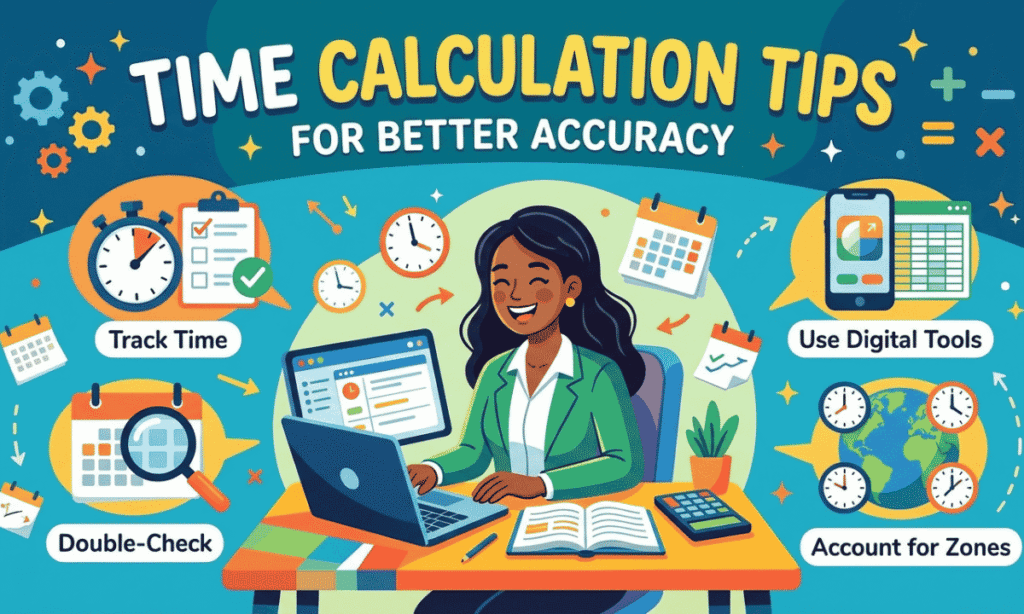
Small habits make a big difference. Try these tips:
- Use the 24-hour clock. It removes AM and PM errors.
- Write each step. A written trail is easy to check.
- Verify with the reverse. Add eleven hours to your answer. You should land on the current time.
- Confirm your time zone. Check every device you use.
- Use UTC for global work. One shared reference avoids mix-ups.
- Round only at the end. Early rounding adds small errors.
- Use a tool near clock changes. Daylight saving rules are tricky.
- State the date. Say “Sunday, 9:20 PM,” not just “9:20 PM.”
- Choose tools for high stakes. When the exact time 11 hours ago matters for legal, medical, or financial records, do not rely on mental math alone.
Related Concepts Worth Knowing
These terms often appear in time calculations. Knowing them helps you work with confidence.
- UTC (Coordinated Universal Time): The global standard used to set clocks.
- GMT (Greenwich Mean Time): A time zone based on the prime meridian, close to UTC.
- Time zone offset: The gap between local time and UTC, such as UTC+5.
- Daylight saving time (DST): A seasonal shift that moves clocks by one hour.
- Unix epoch: The starting point many computers use to count seconds.
- ISO 8601: An international format for dates and times, like 2026-11-01T14:30.
- Elapsed time: The amount of time that passes between two moments.
- Time delta: A programming term for a time difference.
- International Date Line: The line where the calendar date changes.
- Leap second: A rare one-second adjustment to keep clocks aligned with Earth’s rotation.
Conclusion
Finding the time 11 hours ago is simple once you know the steps. Note the current time. Subtract eleven hours. Then check the date.
Use the shortcut when you are in a hurry: subtract 12, then add 1. Always confirm the time zone and watch for midnight crossings.
For important records, rely on a calculator, a spreadsheet, or code. Next time you wonder what time was it 11 hours ago, you can answer in seconds.
Frequently Asked Questions
What time was it 11 hours ago from now?
Subtract 11 hours from the current time. For example, if it is 3:00 PM now, then 11 hours ago it was 4:00 AM.
How do I calculate 11 hours ago quickly?
Subtract 12 hours, then add 1 hour. This flips AM and PM and gives the answer fast.
Does 11 hours ago always fall on the same day?
No. If the current time is before 11:00 AM, then 11 hours ago falls on the previous day.
How many minutes are in 11 hours?
There are 660 minutes in 11 hours. That equals 39,600 seconds.
What is 11 hours ago in 24-hour time?
Subtract 11 from the hour. If the result is negative, add 24. For example, 08:20 becomes 21:20 on the previous day.
How do I find 11 hours ago in Excel?
Type =NOW()-11/24 in a cell and format it as date and time.
Does time zone change the answer?
Yes. Each zone has its own current time, so the answer differs by location.
What is the difference between 11 hours ago and 11 hours from now?
The first subtracts eleven hours and points to the past. The second adds eleven hours and points to the future.